Experiments
The Experiments page provides a central location for creating, monitoring, and analyzing machine learning experiments.
Experiments Page Overview
At the top of this page, you’ll see two sections that display experiment and run information, covering Active and Deleted runs/experiments.
Below that, a toolbar includes:
- Create experiment – Opens a form to specify experiment name and description.
- Search – Filters experiments by name.
The experiment table has three columns:
- Name
- Tags (Lifecycle Stage)
- Creation Date
You can filter the table to show active experiments only or deleted experiments only.
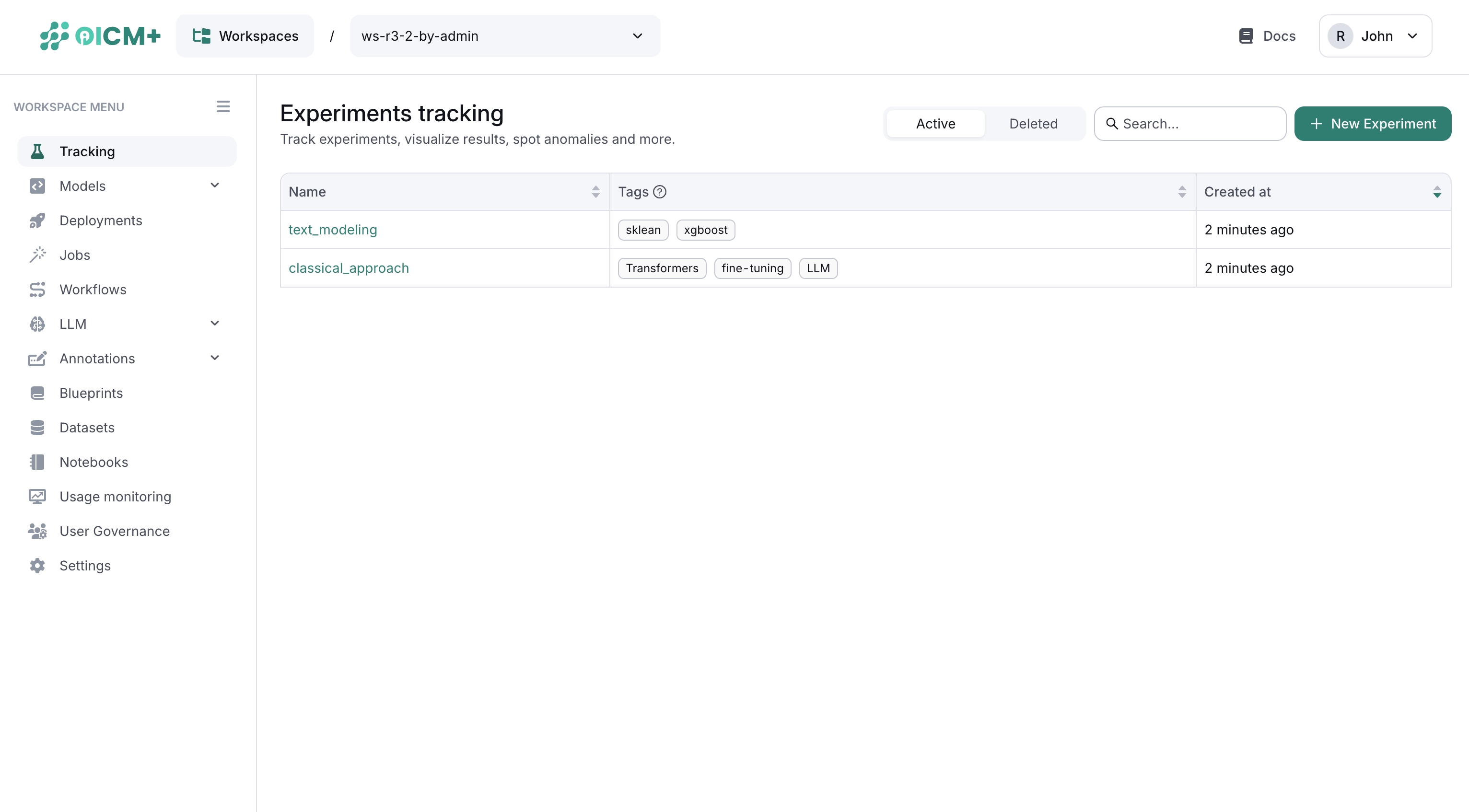
Experiment Page
Selecting an experiment from the table opens the Experiment Page, which has four tabs: Overview, Compare Runs, Activity Log, and Settings.
1. Experiment Overview Tab
- Run Table – Displays runs linked to the experiment, including:
- Run Name
- Run ID
- Lifecycle Stage
- Duration
- Start Time / End Time
- Created Date
- Quick Search – Filter runs by name or ID.
- Run Details – Clicking a run opens its specific UI. See Run UI for more details.
2. Compare Runs Tab
- Side-by-Side Comparison – Compare metrics across two or more runs in a single chart.
- Performance Insights – Quickly identify differences in metrics or performance across runs.

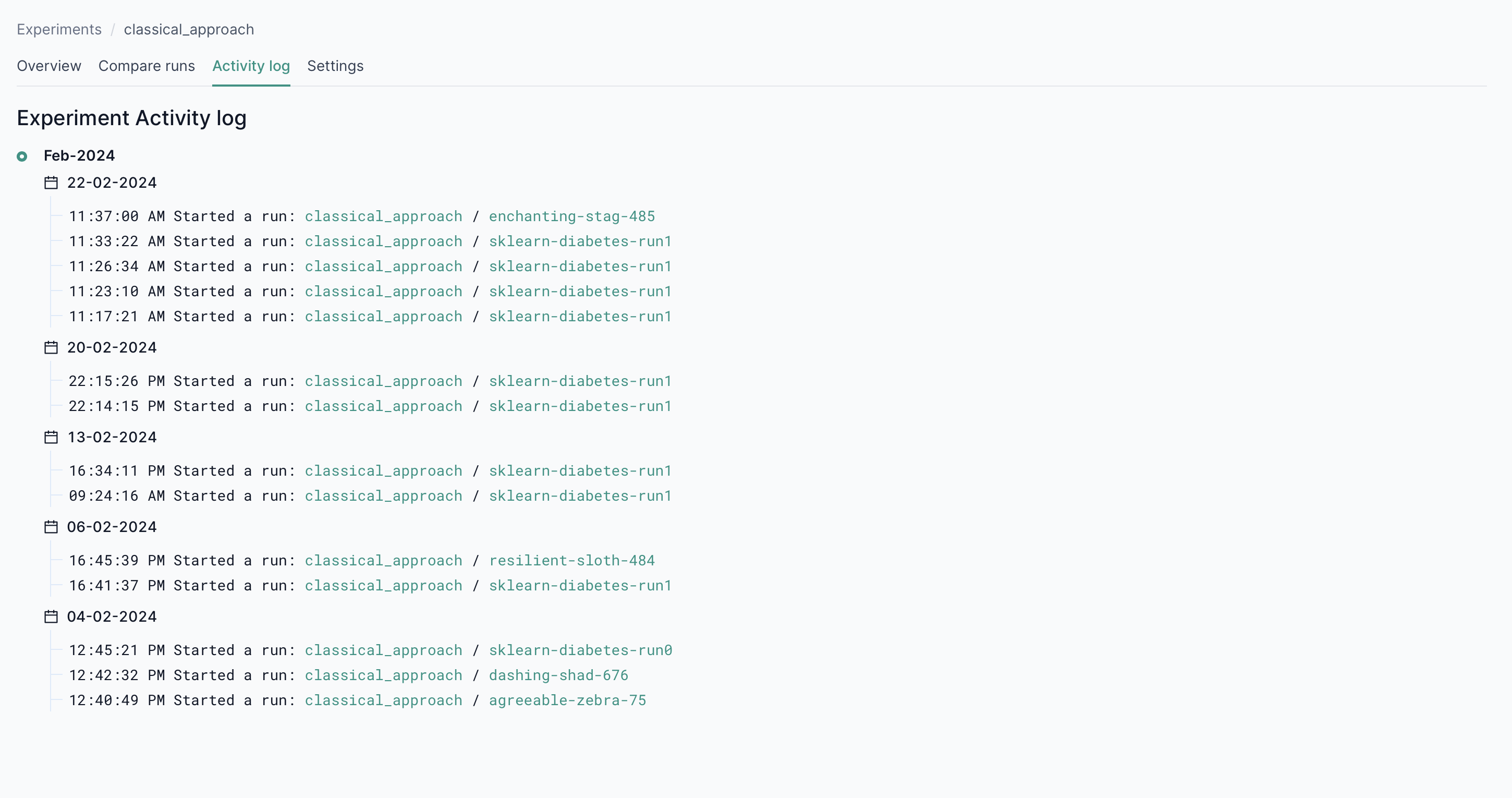
3. Activity Log Tab
- Chronological Timeline – View logs detailing status changes, start times, and overall progress.
- Audit Trail – Track the history of each experiment for accountability and troubleshooting.
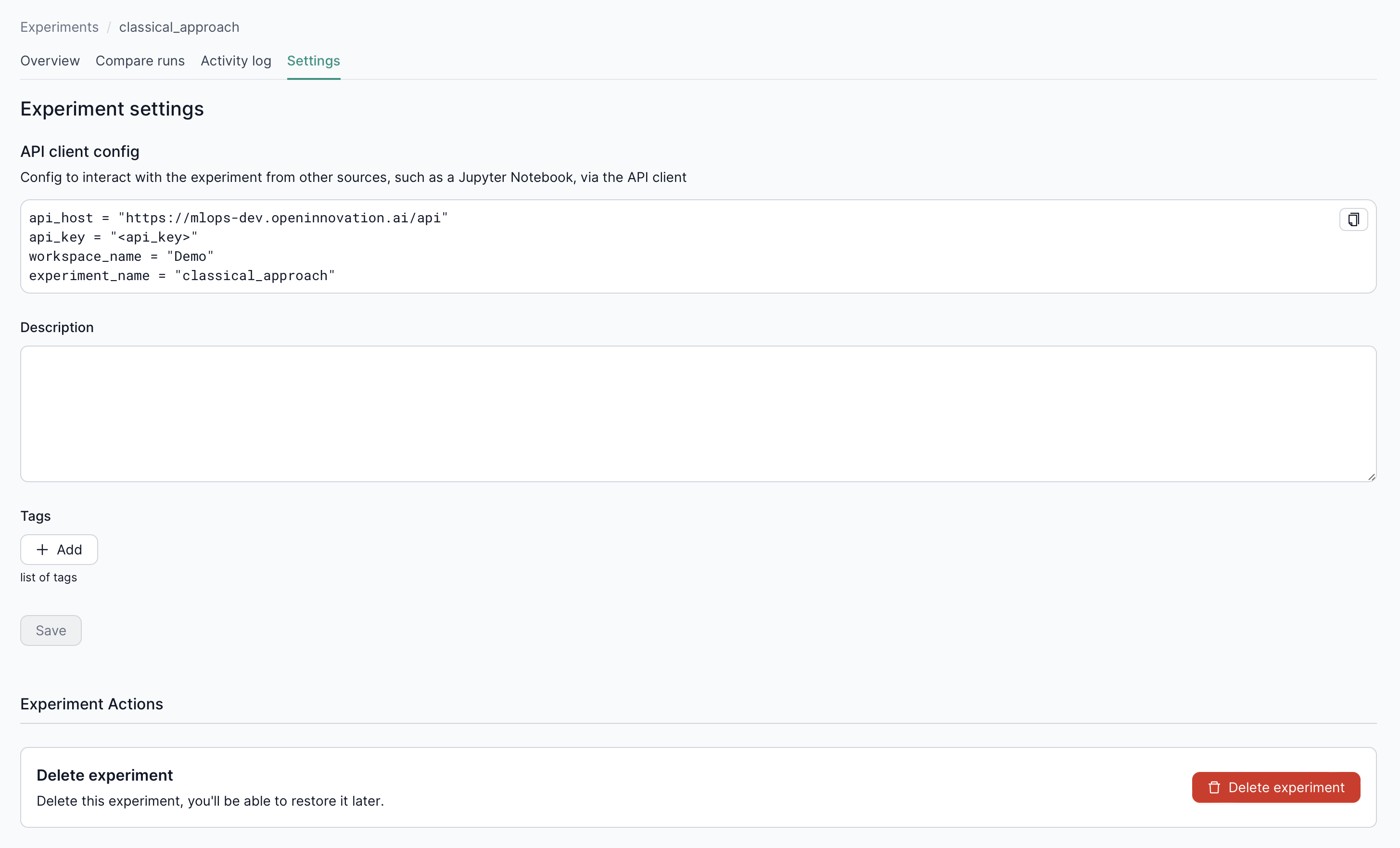
4. Settings Tab
- Tags & Categorization – Add tags to organize experiments.
- Delete Experiment – Remove unneeded experiments with a single click.
- API Example – Demonstrates how to utilize the TrackingClient API for advanced tracking capabilities.
Next Steps
- Run UI – Dive deeper into individual run details, metrics, and artifacts.
- Tracking Overview – Explore the fundamentals behind OICM’s tracking system.
- Workspace UI – Learn how workspaces tie experiments, deployments, and resources together.