Resource Allocation
Tenant admins can allocate compute and storage resources to individual workspaces to ensure fair usage, prevent resource exhaustion, and maintain reliable operations across teams.
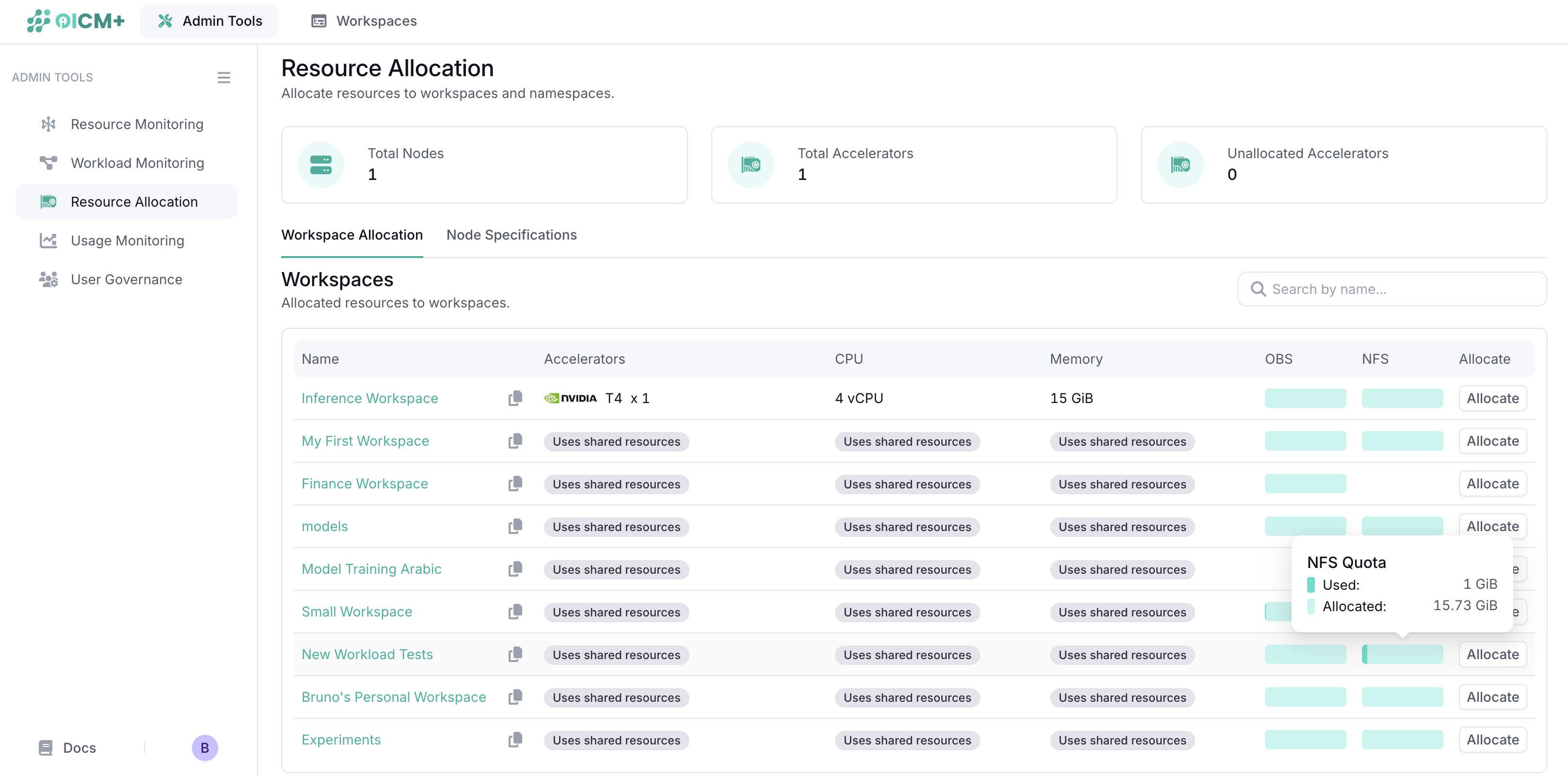
You can allocate the following resource types:
-
Accelerators
Used by workloads that require Accelerators (GPU) compute, such as model deployments, fine-tuning, and training. -
Object Storage
Used for long-term storage of files such as job files, dataframes, and Jupyter notebooks. -
File Storage
Primarily used by Data Volumes, File storage is a distributed file system used for distributed training and distributed deployment. Commonly used for fast deployments and for storing models or datasets.
2.1 Allocating Resources to a Workspace
When you click Allocate, you can choose how much of each resource type to assign to a specific workspace.
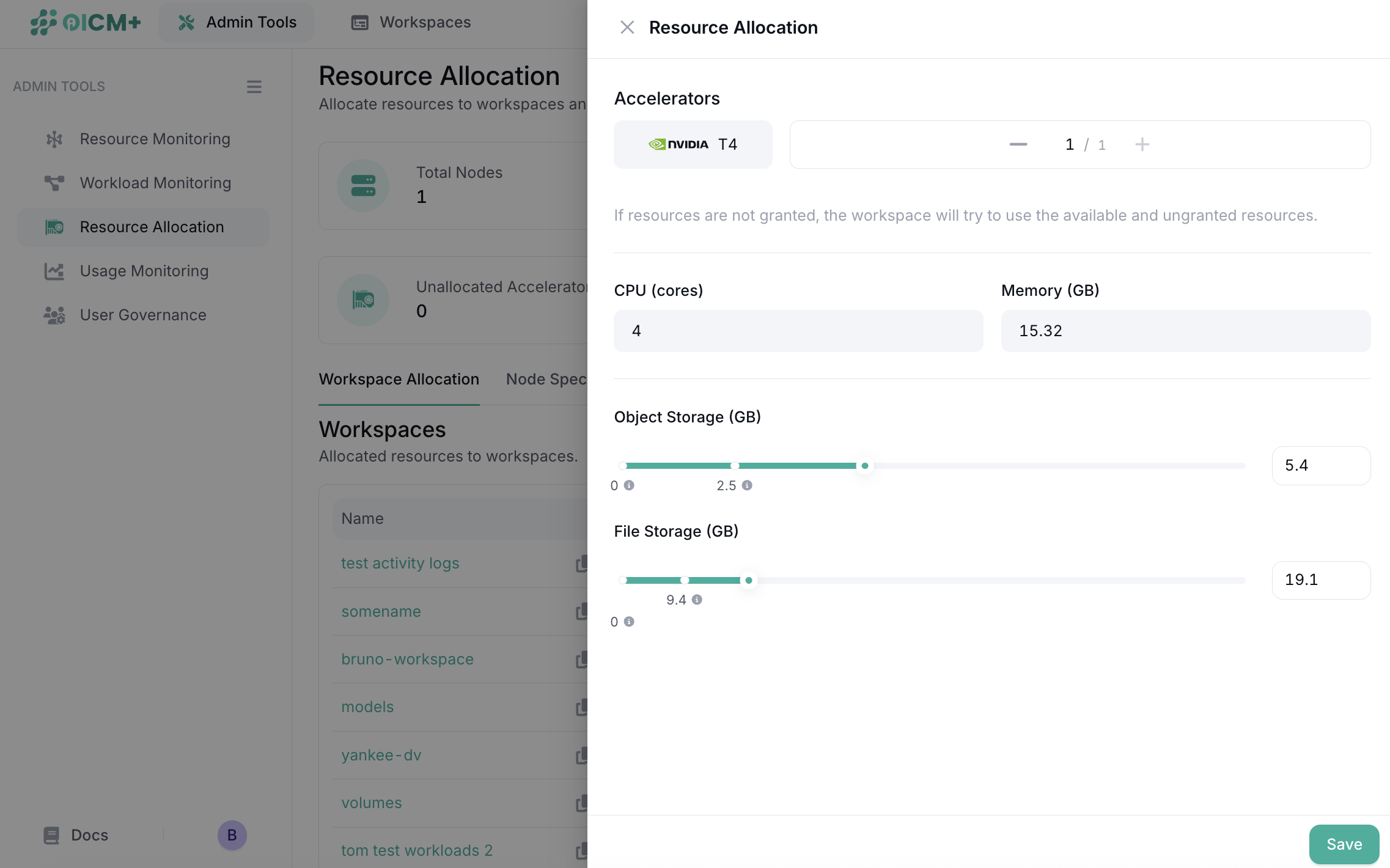
Setting these limits ensures that no single workspace or workload can consume all available tenant resources. This prevents noisy-neighbor issues and helps teams keep their usage predictable and under control.
3. Resource Sharing
-
When you explicitly assign Accelerators to a workspace, the workspace receives guaranteed access to that amount. This increases its scheduling priority when competing for shared Accelerator capacity.
-
If a workspace is not assigned any Accelerators, it uses the tenant’s shared pool. Workloads can still run if Accelerators are free. However, if an Accelerator is later allocated to another workspace explicitely, any workload using that Accelerator in the shared workspace may be stopped so the system can respect the guaranteed allocation. This is called Reclaiming and is handled by OICM’s workload scheduler.
-
If a tenant uses fractioned nodes (nodes with MIG geometry), resource allocation will display the number and configuration of slices available to the tenant. Slices cannot be allocated directly to workspaces, but they are available when running deployments
-
If no FS/OBS storage is allocated to a workspace, that workspace will not have access to any storage. This is different from Accelerators. A workspace with zero storage allocation cannot use features that rely on File Storage or Object Storage, such as Jobs, Model Deployment, or Tracking. Storage must be allocated to your workspace explicitly to ensure your workloads run without any issue
Next Steps
-
Usage Monitoring
Review consumption patterns across workspaces. -
Admin Tools Overview
Explore all administrative capabilities available to tenant admins.