Node Status
Node Status helps tenant admins understand the health status of the nodes allocated to their tenant over time and identify when incidents occurred.
We use node hours as the unit of measurement to provide accurate and time based health metrics. The charts on this page make node health issues visible and help explain discrepancies between expected and actual capacity, especially when nodes become unhealthy or disconnected. An incident event is also created whenever a node becomes unhealthy or disconnected.
The Node Status page is composed of two main components:
- Node Hours Graph
- Incident List
Node Hours Graph
Overview
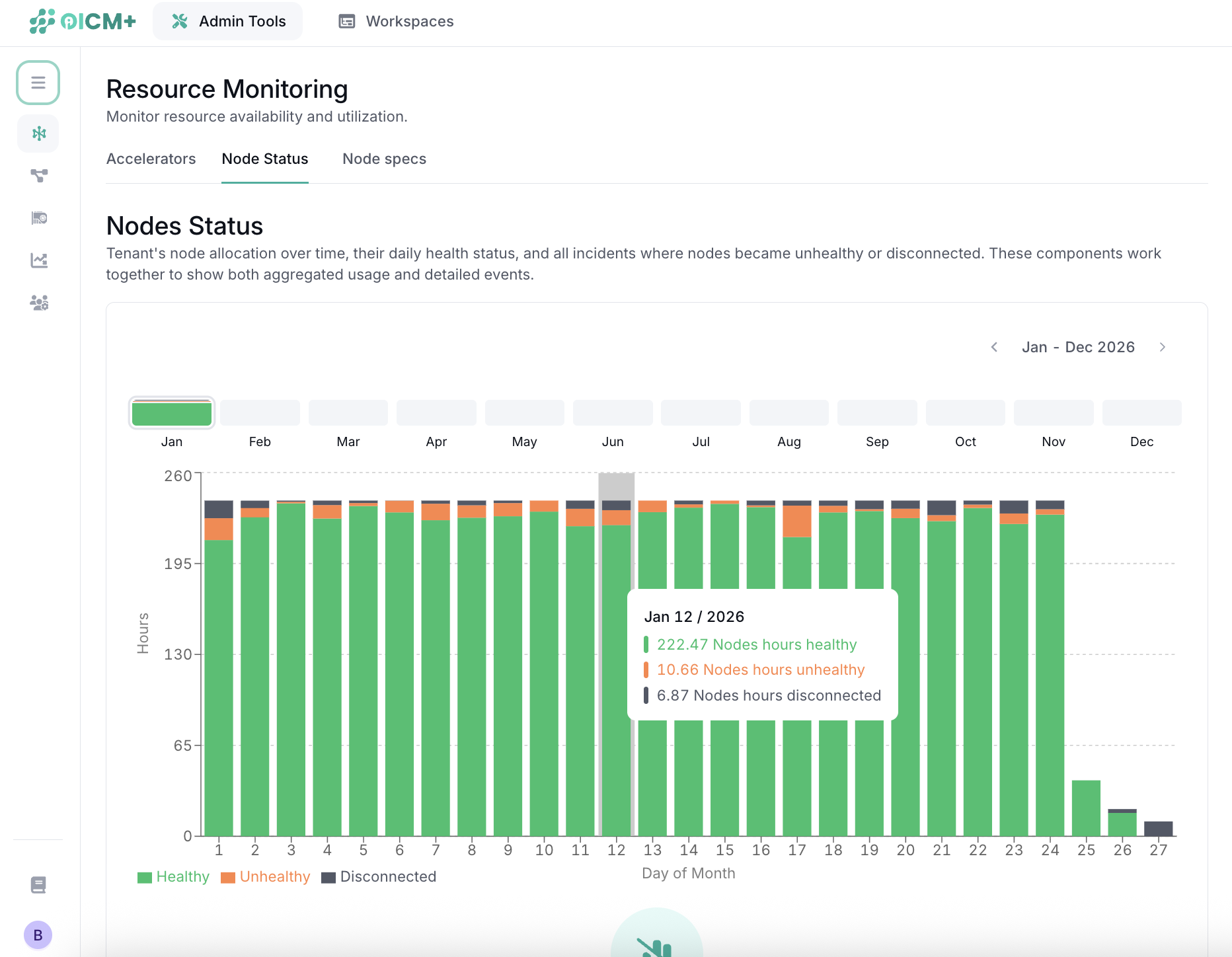
The Node Hours Graph visualizes node status over time and shows how allocated node hours are distributed by health status.
Each bar represents a single day and shows the total number of node hours allocated to the tenant for that day.
For example, if a tenant had 4 nodes allocated for a full day, the graph would show:
4 nodes × 24 hours = 96 node hours
Health states
Node hours are segmented into three health states:
-
Healthy
Node is fully operational and available for workloads. -
Unhealthy
Node is allocated but experiencing issues that prevent workloads from being scheduled or running successfully. -
Disconnected
Node is unreachable or disconnected from the platform.
Incident List
Overview
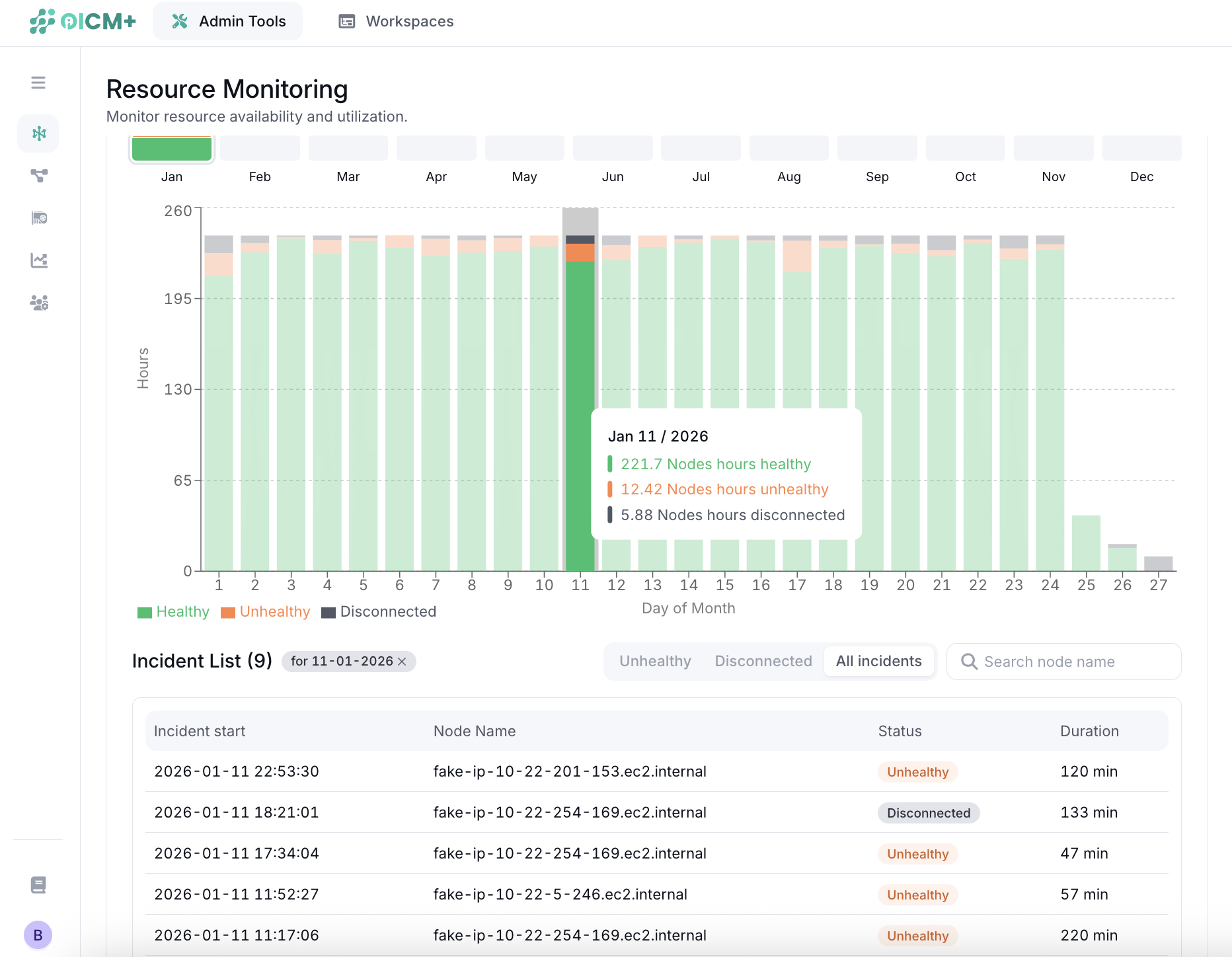
The Incident List provides a detailed, event-level view of node health changes.
While the Node Hours Graph shows aggregated metrics, the Incident List explains which nodes were affected, when the incident happened, and for how long the node remained unhealthy or disconnected.
Incident definition
An Incident represents a continuous period during which a node is in a non-healthy or disconnected state.
An incident: - Starts when a node enters an unhealthy or disconnected state - Ends when the node changes state again or is de-allocated
If a node briefly recovers and later fails again, a new incident is created.
When should you use the Node Status page?
- Validate expected vs actual node availability/health
- Identify spikes in unhealthy or disconnected node hours
- Investigate specific nodes and incident durations
- Correlate node incidents with workload or capacity issues