Workspace User Interface
Workspaces Landing Page
Upon entering the platform, you’ll see a table of all existing workspaces. To create a new workspace, click New Workspace.
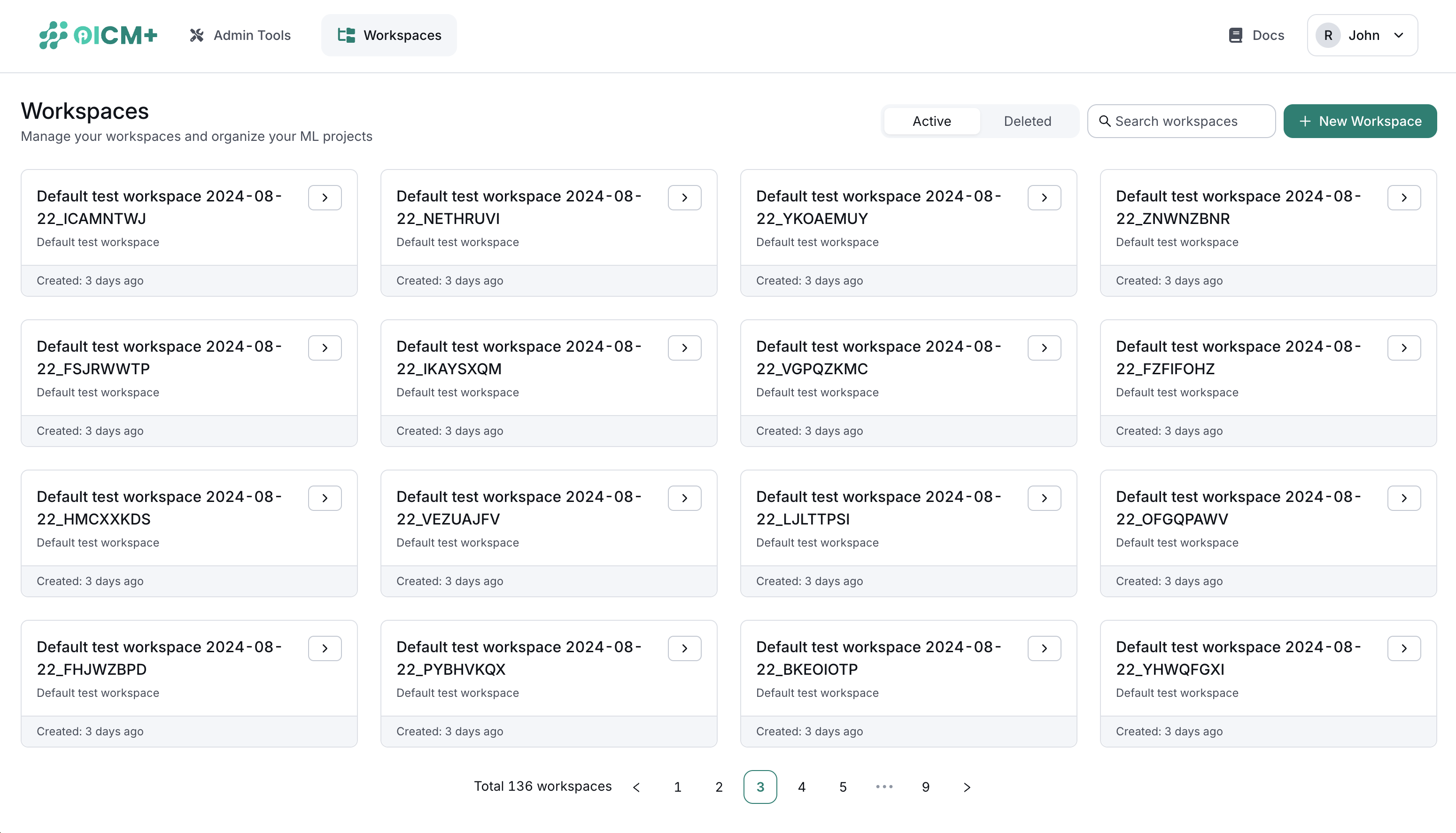
Selecting any workspace opens its detailed view.
Inside a Workspace
By default, you’ll land on the Experiment Tracking page. A left sidebar provides quick access to various tools and features.
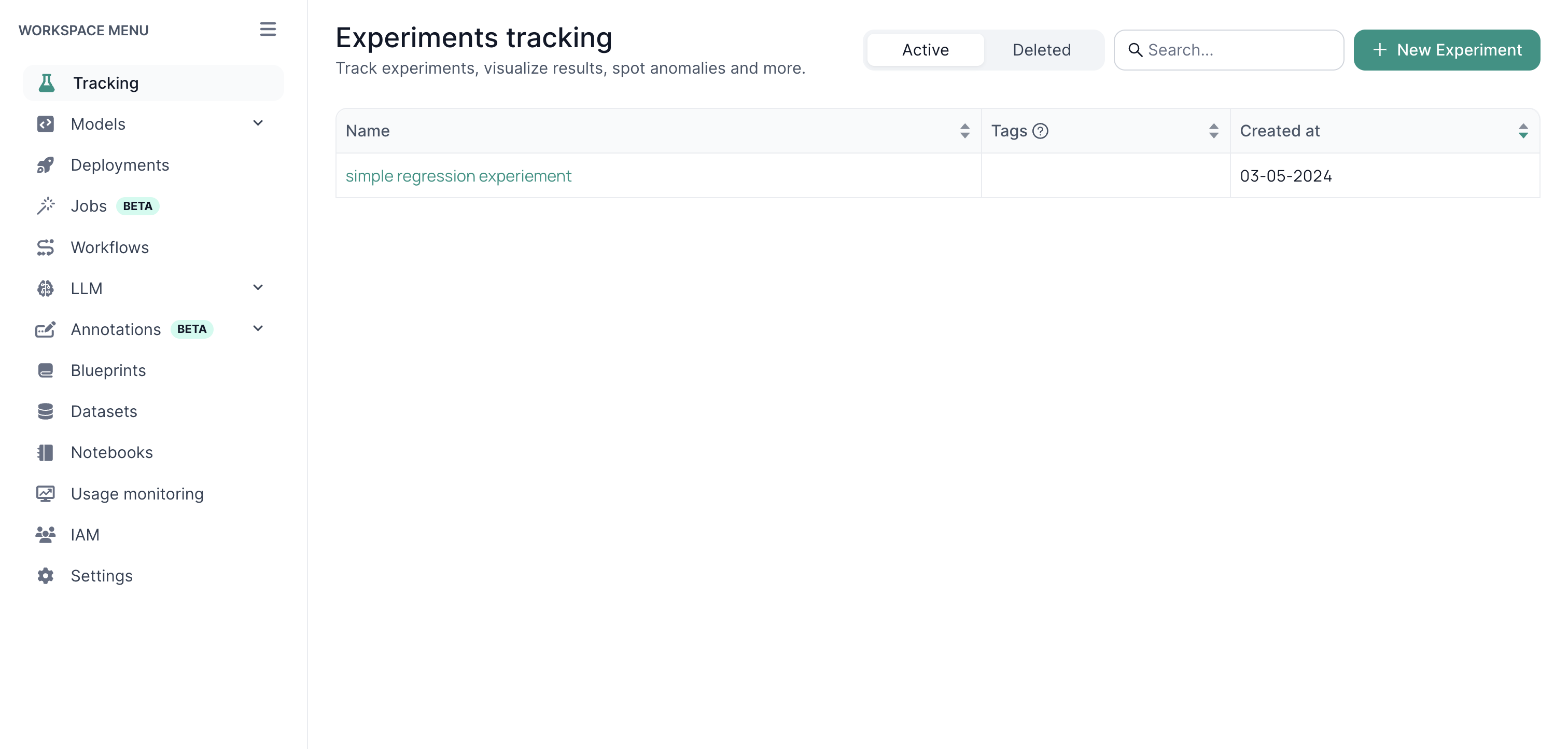
1. Tracking
- Experiment Management – Log runs, compare models, and analyze results.
- Detailed Logging – Capture metrics, parameters, and output data for each experiment.
2. Models
- Model Registration – Easily register ML models for future reference.
- Deployment Prep – Streamline the handoff from development to production.
3. Deployments
- One-Click Launch – Deploy models to production with minimal hassle.
- Live Monitoring – Track model performance and quickly roll out updates.
4. Jobs
- Custom Training – Use your own training scripts and configuration files.
- Resource Management – Monitor GPU/CPU usage for efficient execution.
5. LLM
- Fine-Tuning & Benchmarking – Access pre-built tools to customize large language models.
- Dataset Integration – Connect various data sources for thorough testing.
6. Blueprints
- Reusable Templates – Save configurations, secrets, and workflows for future use.
- Rapid Setup – Launch new projects quickly using existing best practices.
7. Datasets
- Data Management – Create, version, and organize datasets.
- Consistency & Integrity – Keep data consistent across all projects.
8. Notebooks
- Built-In Environment – Leverage a Jupyter-based setup directly inside the platform.
- Seamless Analysis – Explore data and run code without leaving OICM.
9. Usage Monitoring
- Admin Oversight – Track resource utilization across users and workspaces.
- Cost & Performance – Identify bottlenecks and optimize workload distribution.
10. User Governance
- Fine-Grained Permissions – Manage roles, ownership, and access rights.
- Workspace Control – Assign or revoke user privileges as needed.
11. Settings
- Custom Configuration – Adjust workspace parameters to fit your workflow.
- Global Policies – Manage security, resource limits, and environment settings.
Next Steps
- Workspaces Overview – Dive deeper into how workspaces are structured.
- Usage Monitoring – Learn best practices for tracking resource consumption.
- User Governance – Understand how to manage roles and permissions effectively.