LoRA Adapters
Low-Rank Adaptation (LoRA) offers a resource-efficient way to fine-tune large language models (LLMs). Instead of updating all model parameters, LoRA injects small adapter modules that retain most of the base model’s capabilities while adding new, task-specific functionality.
1. Fundamentals
- Traditional Fine-Tuning – Involves updating all model parameters, which is time-consuming and resource intensive (GPU VRAM and compute time).
- LoRA Approach – Freezes base model weights, inserting lightweight adapter modules with fewer trainable parameters.
- Outcome – A fine-tuned LLM that maintains base knowledge and adapts to new tasks with minimal overhead.
2. Enabling LoRA in Fine-Tuning
Simply toggle “LoRA” in the fine-tuning settings to activate adapter-based training. This reduces compute demands while still delivering a model specialized for your use case.
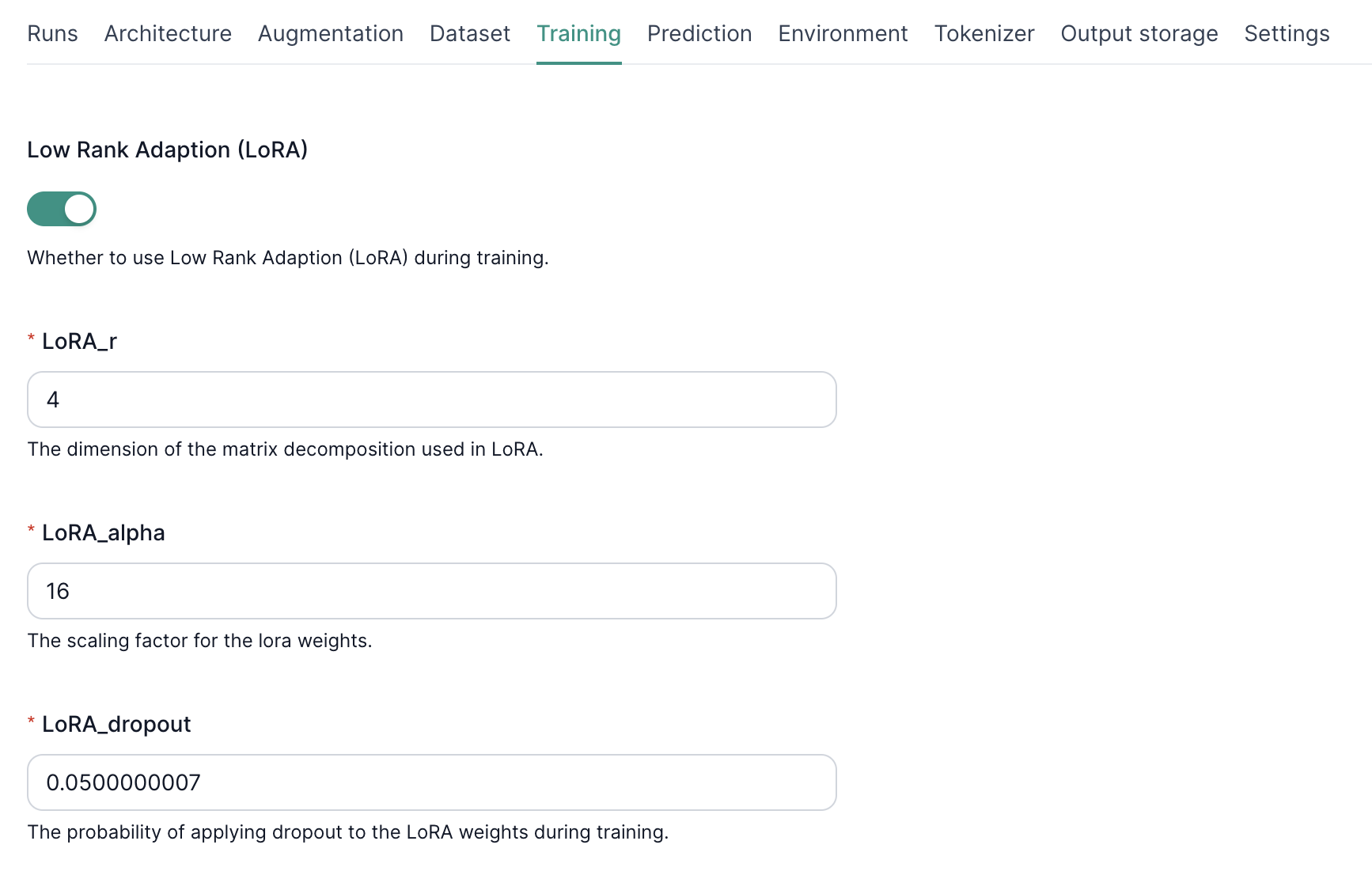
3. Configuring LoRA Hyperparameters
- LoRA_r
- Sets the rank of the low-rank matrices.
-
Higher = more capacity to learn but higher risk of overfitting.
-
LoRA Alpha
- Scales the adapter weight updates.
-
Higher alpha = more aggressive training.
-
LoRA Dropout
- Applies dropout to adapter weights.
- Helps prevent overfitting by randomly dropping parameters during training.
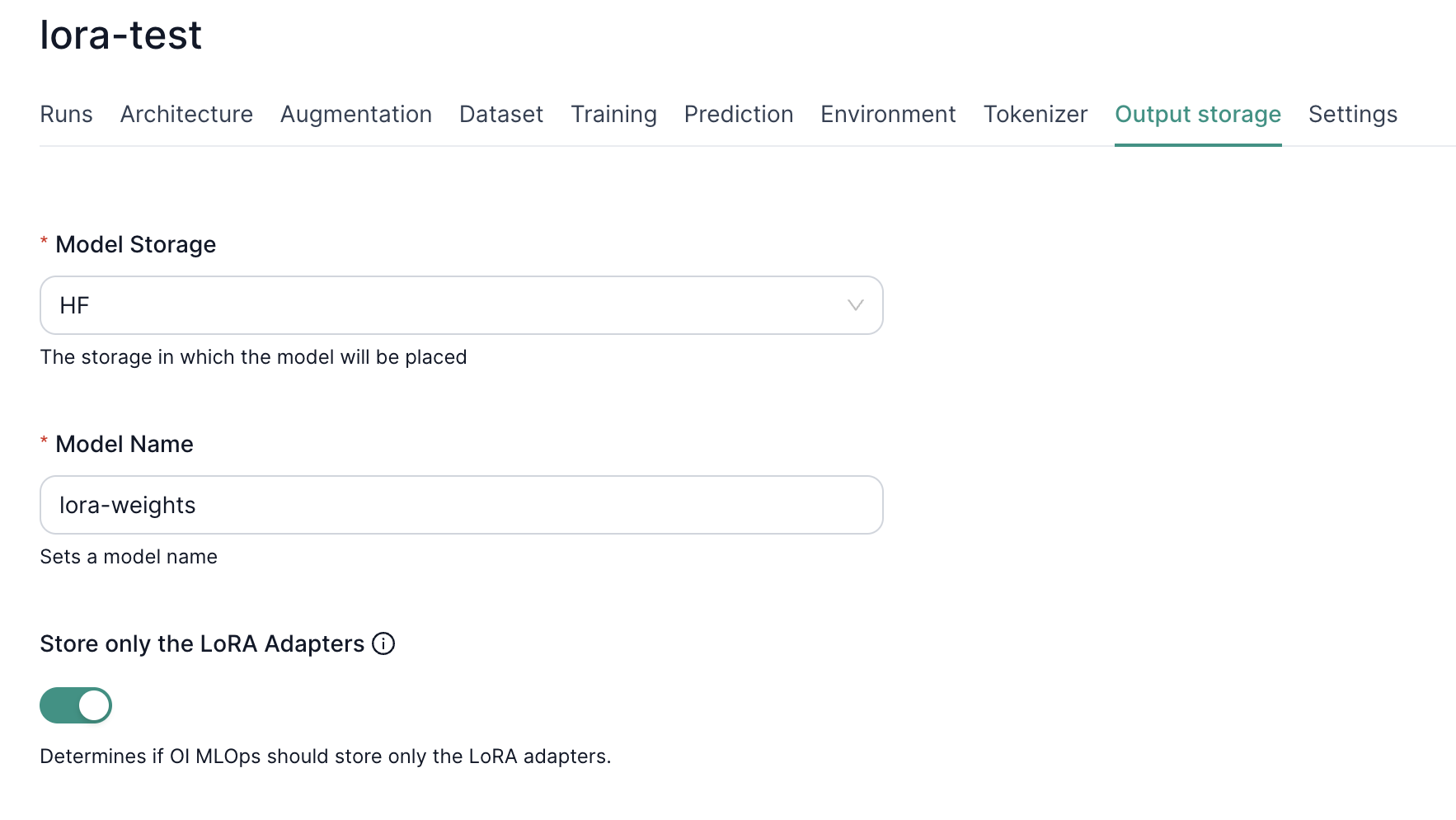
4. Storing LoRA-Only Weights
You can opt to store only adapter weights which are much smaller than a fully fine-tuned model. Simply toggle “Store only the LoRA Adapters” in the output settings. This reduces storage costs and simplifies deployment since you only need:
- The original base model.
- The compact LoRA adapter weights.
5. Deployment with LoRA Adapters
When deploying your model:
- Deploy from model version – Select "Deploy from Model Version" as the Deployment Type.
- Define your base model – Choose a model version that is not a LoRA adapter.
- Choose the inference task – Tasks supporting LoRA adapters: Text Generation or Image-Text-to-Text.
- Toggle on LoRA adapters — Click the switch in the LoRA adapter box to enable LoRA adapters
- Add LoRA adapters into the deployment – Click "Add New" and provide the key (i.e. the LoRA adapter's alias), registered model, and model version of your LoRA adapters.
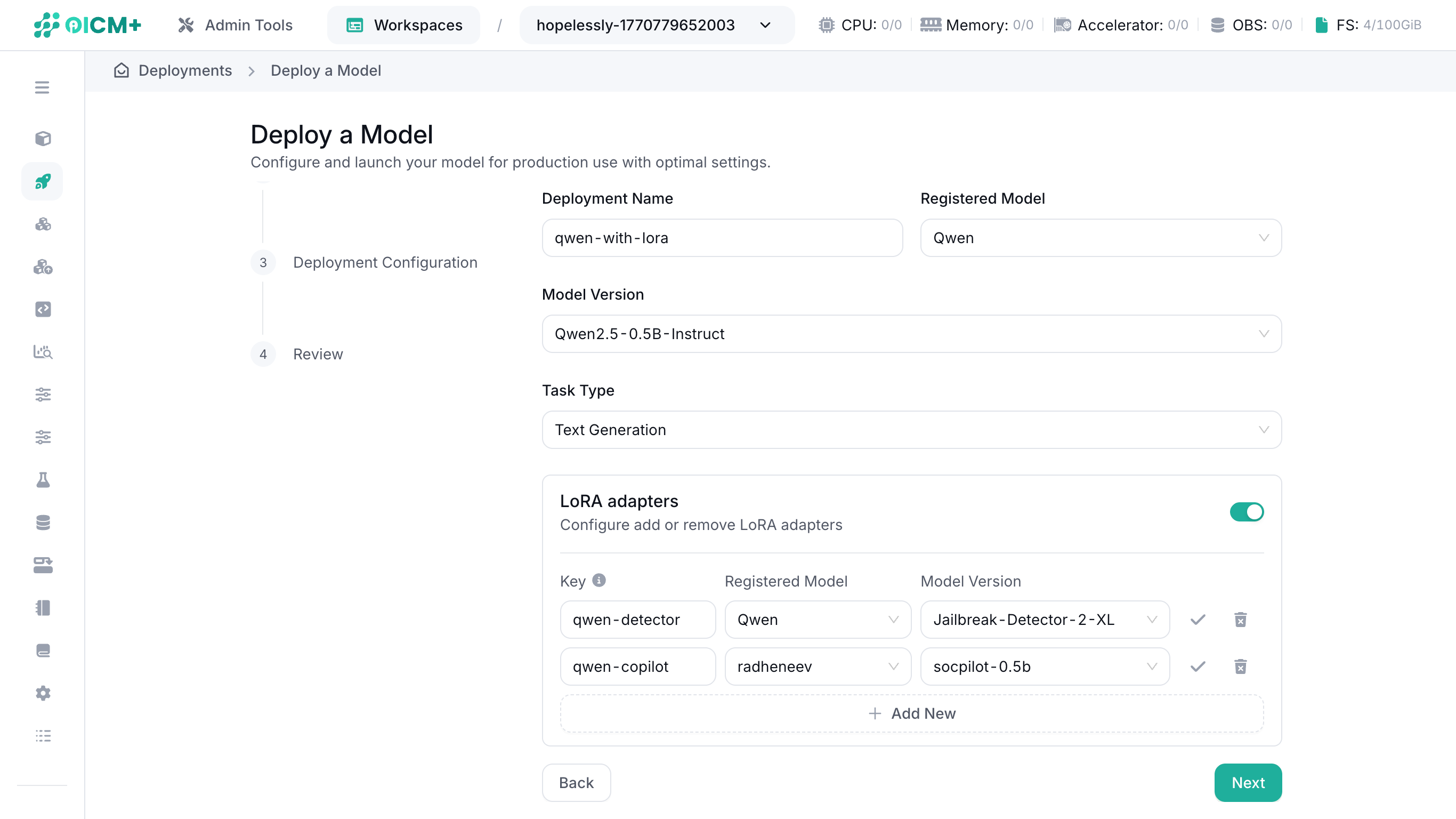
This setup loads the LoRA adapters alongside the base model for a streamlined, memory-efficient deployment.
NOTE: LoRA adapter key names must be unique.
6. Knowledge Benchmarks with LoRA
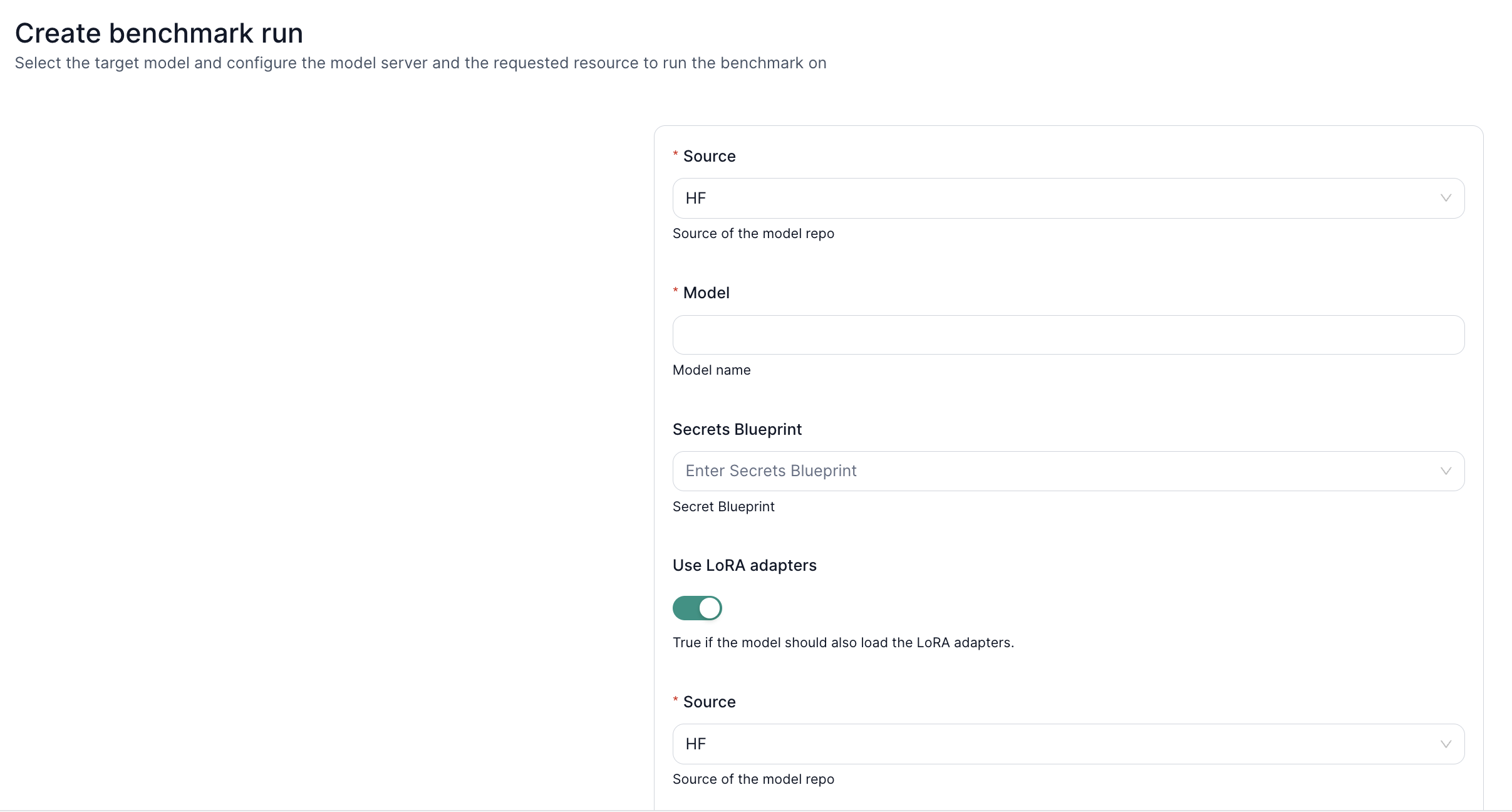
Leverage LoRA adapters for domain-specific benchmarking:
- Load Base Model + LoRA Weights – Retrieve both from your desired source (S3 or HuggingFace).
- Check Credentials – Ensure read access via valid keys in the secrets blueprint.
- Run Benchmarks – Evaluate performance on specialized tasks or knowledge domains using your newly fine-tuned adapters.
Next Steps
- Fine-Tuning UI – Learn how to create and manage fine-tuning tasks.
- LLM Inference – Deploy and test your LoRA-enhanced model.
- Performance Benchmark – Measure how your LoRA-augmented LLM scales under load.